The play method
The play method runs the animation for a single view or an array of views. You can also chain multiple Animation objects with callbacks to build sequences.
toggle points to the same function as play. Both change the animation object's internal open/closed state. Passing an array starts the views in parallel and adds the configured delay cumulatively for each view.
$.myAnimation.play($.myView)
Play example 1
Create an Animation element and the view you want to animate, then set the properties.
<Alloy>
  <Window>
    <Animation module="purgetss.ui" id="myAnimation" class="wh-32 bg-green-500 duration-1000" />

    <View id="square" class="wh-16 bg-blue-500" />
  </Window>
</Alloy>
In the controller, pass the element you want to animate. In this case, it is the square view.
$.index.open()

$.myAnimation.play($.square)
When play runs, the blue square goes from 64x64 to 128x128 and changes to green.
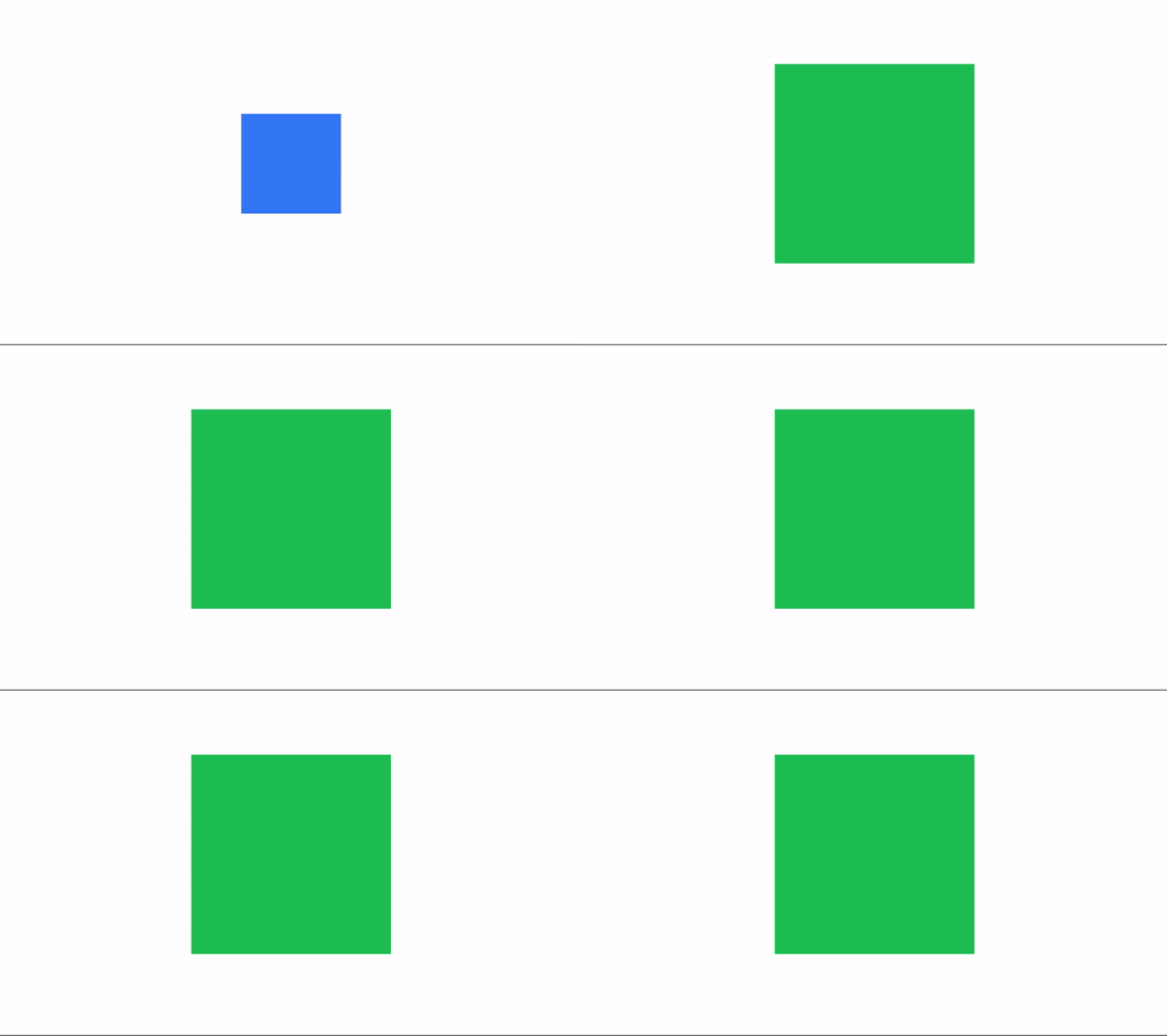
Low framerate GIF.
Real-world use case: notification badge pulse
Use the pulse method for notification badges. The scale comes from the <Animation /> object:
<Alloy>
  <Window class="bg-slate-900">
    <Animation id="pulseAnim" module="purgetss.ui" class="scale-(1.3) autoreverse duration-150" />

    <View class="wh-24">
      <View class="wh-20 clip-disabled rounded-xl bg-blue-500">
        <Label class="touch-enabled-false text-2xl text-white" text="@" />
      </View>

      <View id="badge" class="wh-6 rounded-full-6 right-1 top-1 bg-red-500">
        <Label class="touch-enabled-false text-center text-xs text-white" text="3" />
      </View>
    </View>
  </Window>
</Alloy>
function doPulse() {
  $.pulseAnim.pulse($.badge)
}

function doPulse3() {
  $.pulseAnim.pulse($.badge, 3)
}
The badge scales to 130%, reverses back to 100%, and repeats for the count you pass. The scale and duration come from the <Animation /> object; count is the only parameter per call. See the pulse method for details.
open and close modifiers
Use open and close to define different states, such as opening and closing behaviors.
Play example 2
<Alloy>
  <Window class="keep-screen-on">
    <Animation id="changeWidth" class="close:w-28 debug open:w-11/12" module="purgetss.ui" />
    <Animation id="changeColor" class="close:bg-blue-700 debug open:bg-purple-500" module="purgetss.ui" />
    <Animation id="changeTransparency" class="close:duration-300 open:mt-(null) close:mt-8 open:h-11/12 close:w-14 close:h-14 close:opacity-100 open:w-10/12 open:opacity-50 open:duration-150" module="purgetss.ui" />
    <Animation id="changeRetweet" class="close:duration-150 close:-mb-52 open:-mb-16 open:duration-200" module="purgetss.ui" />

    <View class="vertical">
      <Button class="ios:mt-16 mt-1 w-48 rounded bg-purple-500 text-purple-50" onClick="squaresFn" title="3 Squares" />
      <Button class="mt-2 w-48 rounded bg-purple-500 text-purple-50" onClick="toggleFn" title="Toggle Colors" />
      <Button class="mt-2 w-48 rounded bg-purple-500 text-purple-50" onClick="retweetFn" title="Toggle Re-Tweet" />

      <View id="squaresView" class="vertical mt-10 w-screen">
        <View class="wh-28 rounded-xl bg-blue-700" />
        <View class="wh-28 mt-4 rounded-xl bg-blue-700" />
        <View class="wh-28 mt-4 rounded-xl bg-blue-700" />
      </View>
    </View>

    <View id="blueSquareView" class="mt-8 h-14 w-14 rounded-xl bg-blue-500" onClick="transparencyFn" />

    <View id="retweetView" class="vertical -mb-52 h-48 w-screen rounded-2xl bg-gray-800" onClick="retweetFn">
      <View class="bg-slate-700 mt-4 h-1 w-8" />

      <View class="horizontal mx-4 mt-4">
        <Label class="text-slate-500 fas fa-retweet w-7 text-xl" />
        <Label class="ml-2 text-left text-xl text-white" text="Re-Tweet" />
      </View>

      <View class="horizontal mx-4 mt-4">
        <Label class="text-slate-500 fas fa-pencil-alt w-7 text-xl" />
        <Label class="ml-2 text-left text-xl text-white" text="Quote Tweet" />
      </View>
    </View>
  </Window>
</Alloy>
function transparencyFn() {
  $.changeTransparency.play($.blueSquareView)
}

function toggleFn() {
  $.changeColor.toggle($.squaresView.children)
}

function squaresFn() {
  $.changeWidth.play($.squaresView.children)
}

function retweetFn() {
  $.changeRetweet.play($.retweetView)
}

$.index.open()
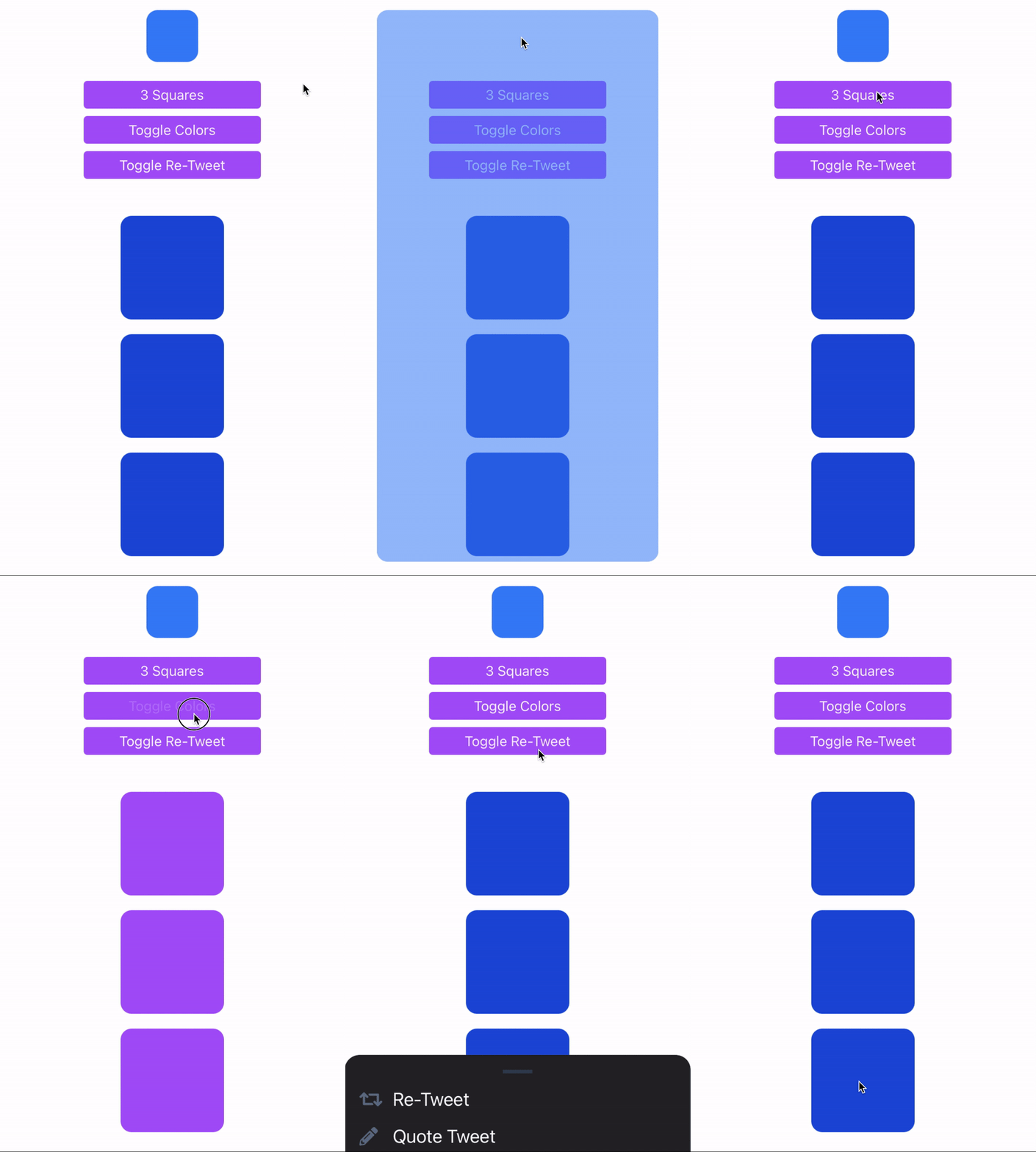
Low framerate GIF.
complete modifier
Use complete to apply additional properties after an open animation finishes.
Complete example 1
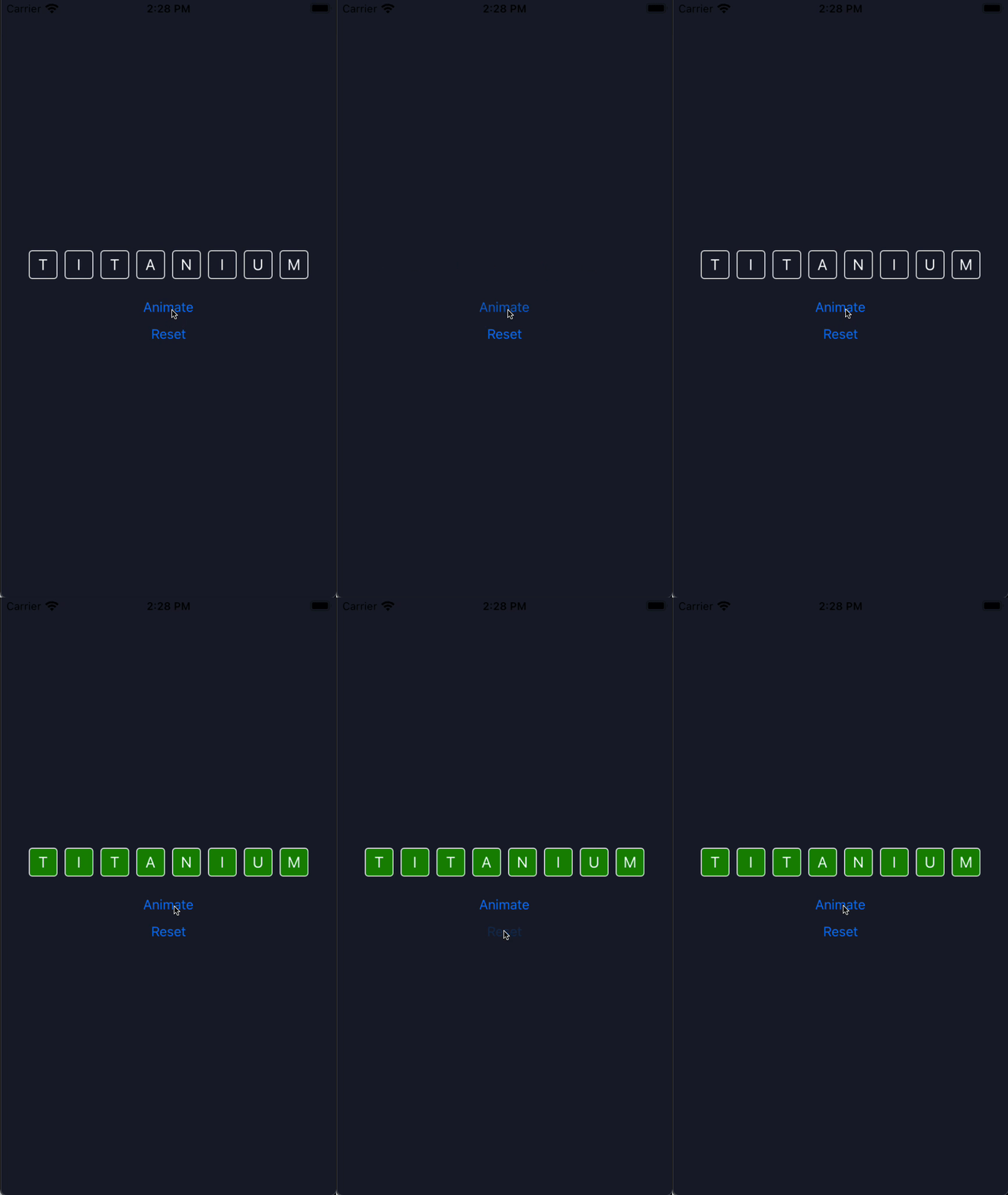
In this example, the open animation scales the children of the letters view down to 1%. When it completes, complete sets the background color to green and scales back to 100%.
<Alloy>
  <Window title="App Wordle" class="bg-(#181e2d)">
    <Animation module="purgetss.ui" id="myAnimationReset" class="bg-transparent" />
    <Animation module="purgetss.ui" id="myAnimationOpen" class="open:scale-1 complete:bg-(#008800) complete:scale-100" />

    <View class="vertical">
      <View id="letters" class="horizontal">
        <Label class="wh-10 mx-1 rounded border-white bg-transparent text-center text-white" text="T" />
        <Label class="wh-10 mx-1 rounded border-white bg-transparent text-center text-white" text="I" />
        <Label class="wh-10 mx-1 rounded border-white bg-transparent text-center text-white" text="T" />
        <Label class="wh-10 mx-1 rounded border-white bg-transparent text-center text-white" text="A" />
        <Label class="wh-10 mx-1 rounded border-white bg-transparent text-center text-white" text="N" />
        <Label class="wh-10 mx-1 rounded border-white bg-transparent text-center text-white" text="I" />
        <Label class="wh-10 mx-1 rounded border-white bg-transparent text-center text-white" text="U" />
        <Label class="wh-10 mx-1 rounded border-white bg-transparent text-center text-white" text="M" />
      </View>

      <Button title="Animate" class="mt-8" android:onClick="doAnimate" ios:onSingletap="doAnimate" />
      <Button title="Reset" class="mt-4" android:onClick="doReset" ios:onSingletap="doReset" />
    </View>
  </Window>
</Alloy>
$.index.open()

function doAnimate() {
  $.myAnimationOpen.play($.letters.children)
}

function doReset() {
  $.myAnimationReset.apply($.letters.children)
}
Callback event object
When you pass a callback to play, toggle, open, or close, it receives an enriched event object instead of the raw native event:
$.myAnimation.play($.myView, (e) => {
  console.log(e.action)   // 'play'
  console.log(e.state)    // 'open' or 'close'
  console.log(e.id)       // Animation object ID
  console.log(e.targetId) // ID of the animated view
})
Event object properties
| Property | Type | Description |
|---|---|---|
type | String | Event type ('complete') |
bubbles | Boolean | Whether the event bubbles |
cancelBubble | Boolean | Whether bubbling is cancelled |
action | String | 'play' or 'apply' |
state | String | 'open' or 'close' |
id | String | ID of the Animation object |
targetId | String | ID of the animated view |
index | Number | Position of the view in the array (0-based) |
total | Number | Total number of views in the array |
getTarget() | Function | Returns the animated view object |
Animating an array of views
When you pass an array to play, the callback is called once per view. Use index and total to track progress:
$.myAnimation.play([$.card1, $.card2, $.card3], (e) => {
  console.log(`Animated ${e.index + 1} of ${e.total}`)

  if (e.index === e.total - 1) {
    console.log('All animations complete')
  }
})
Use getTarget() to reference the specific view that just finished animating:
$.myAnimation.play([$.card1, $.card2, $.card3], (e) => {
  const view = e.getTarget()
  view.borderColor = 'green'
})
Titanium Classic
Create the animation and views in JavaScript. State objects replace Alloy's open: and close: classes:
const { createAnimation } = require('lib/purgetss.ui')

const card = Ti.UI.createView({
  width: 180,
  height: 96,
  opacity: 0
})
const motion = createAnimation({
  id: 'cardMotion',
  duration: 240,
  delay: 40,
  curve: Ti.UI.ANIMATION_CURVE_EASE_OUT,
  animationProperties: {
    open: { opacity: 1, scale: 1 },
    close: { opacity: 0, scale: 0.92 },
    complete: { borderColor: '#22c55e' }
  }
})

motion.play(card, (event) => {
  Ti.API.info(`Card state: ${event.state}`)
})

// `toggle` calls the same function as `play`.
motion.toggle(card)
Callbacks receive type, bubbles, cancelBubble, action, state, id, targetId, index, total, and getTarget(). For an array, the callback runs once per view. Use sequence when each view must finish before the next begins.
See Using purgetss.ui in Titanium Classic for child animation objects and lifecycle guidance.