The apply method
Use apply when you want to set properties immediately without animation.
$.myAnimation.apply($.myView)
Apply example
apply sets properties instantly. In this example, the ScrollableView is rotated 90 degrees and its content is counter-rotated -90 degrees to mimic a TikTok-style layout.
<Alloy>
  <Window class="exit-on-close-false keep-screen-on">
    <Animation module="purgetss.ui" id="rotate" class="platform-wh-inverted rotate-90" />
    <Animation module="purgetss.ui" id="counterRotate" class="platform-wh -rotate-90" />

    <ScrollableView id="scrollableView" class="overlay-enabled disable-bounce paging-control-alpha-100 scrolling-enabled show-paging-control paging-control-h-14 paging-control-on-top-false paging-control-transparent page-indicator-(rgba(0,0,0,0.24)) current-page-indicator-(rgba(0,0,0,1))">
      <View class="bg-blue-500">
        <Label class="text-center" text="View's Content" />
      </View>

      <View class="bg-red-500">
        <Label class="text-center" text="View's Content" />
      </View>

      <View class="bg-green-500">
        <Label class="text-center" text="View's Content" />
      </View>
    </ScrollableView>
  </Window>
</Alloy>
$.rotate.apply($.scrollableView)

$.counterRotate.apply($.scrollableView.views)

$.index.open()
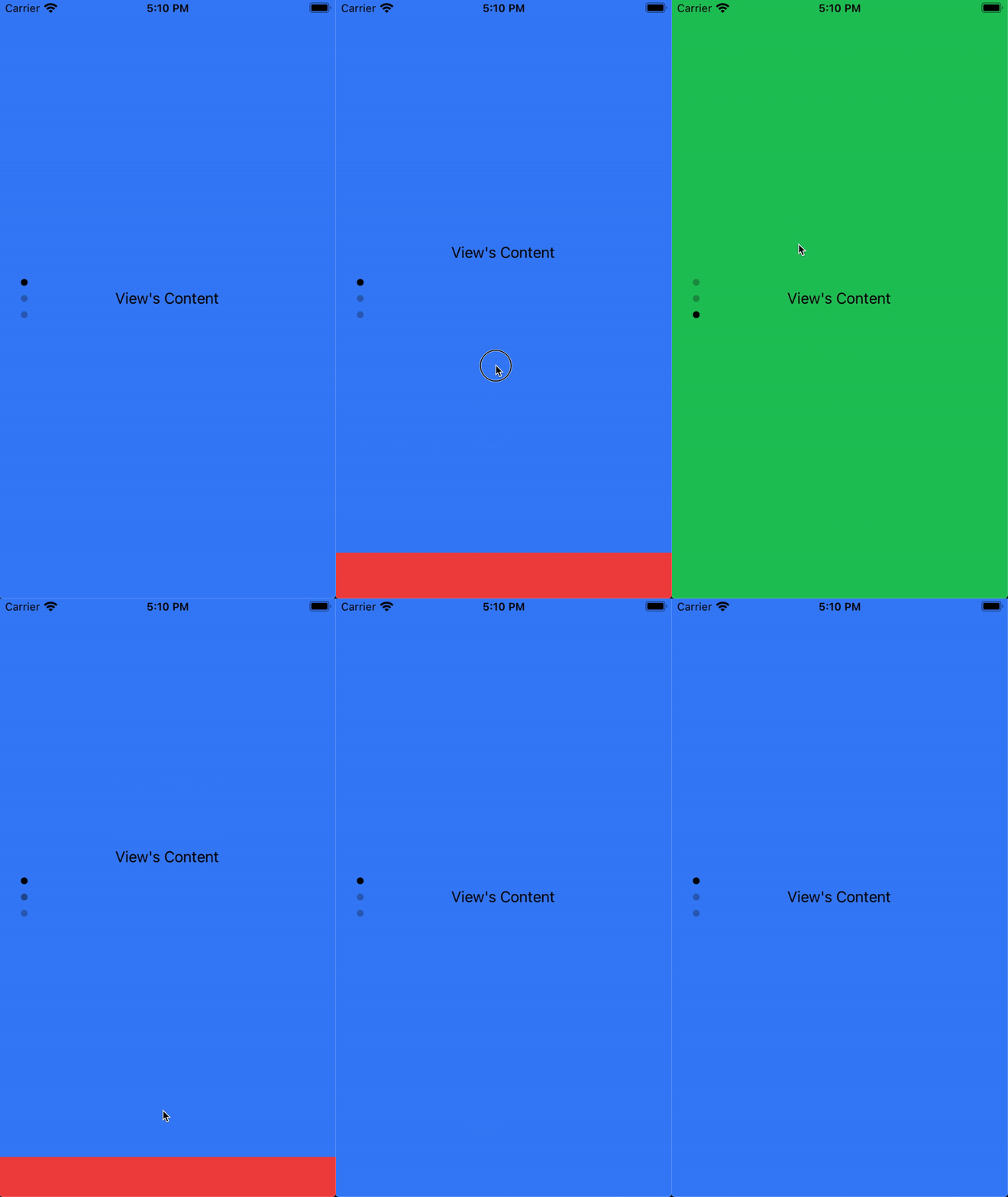
Low framerate GIF.
Callback event object
apply also accepts an optional callback. It receives the same enriched event object as play, with action set to 'apply' and type set to 'applied':
$.myAnimation.apply($.myView, (e) => {
  console.log(e.action)   // 'apply'
  console.log(e.state)    // 'open' or 'close'
  console.log(e.targetId) // ID of the view
})
When you pass an array of views, index and total work the same as with play. See Callback event object for the property reference.
Titanium Classic
apply() calls applyProperties() with the resolved animation object. It toggles the same internal state used by play, but it does not start a native animation.
const { createAnimation } = require('lib/purgetss.ui')

const reset = createAnimation({
  id: 'reset',
  opacity: 1,
  rotate: 0,
  scale: 1,
  animationProperties: {
    complete: { borderColor: '#22c55e' }
  }
})

reset.apply(card, (event) => {
  Ti.API.info(`${event.targetId} ${event.type}`) // card applied
})
The callback is synchronous with the property application and receives type: 'applied' and action: 'apply'. See the Classic state model.